Slingshot Bio
Roboto converged Slingshot Bio's WordPress and Shopify sites into one headless Shopify build on Next.js and Sanity, instrumented end to end and AI-ready.
View case study


From Joomla to Storyblok
Last verified:
The process
First we check the existing Joomla and see whether the data is clean enough to move straight over to Storyblok, and plan around any auth walls or bot protection in the way.
Then we work out how Joomla renders its pages and pull the content out, even without CMS access.
Everything extracted runs through our sanitization pipeline, which flags slop, normalizes structure, and leaves us clean content to work with.
Before anything moves, we agree the Storyblok content model with you, shaped around how your editors actually work.
We transform the content to the agreed schema and run a full dry run, so mappings and edge cases prove out before production.
Once the dry run is clean, everything moves into Storyblok in one controlled cutover.
Every old URL gets mapped to its new home with the right redirect, so rankings and link equity survive the move.
Finally, automated browsers sweep the new site for data issues, design regressions, and missing SEO signals.
Key pain points
Joomla sits in the same bracket as WordPress, except it is somehow even harder to explain to anyone under 40. If your C-suite still thinks "PHP developer" is a personality type, Joomla will make them feel right at home. You will also keep your hosting provider happy, because nothing about this platform is light or low-maintenance.
The dev experience feels stuck in a pre-Composer, pre-type-hints era. Major upgrades are the real horror story. Joomla 3 and 4 both went end of life in October 2025, and moving up a major version tends to break extensions and templates badly enough that you rebuild the site anyway. The community is smaller than WordPress's, the documentation is hit-and-miss, and the admin panel feels like a government portal that accidentally became a CMS. Performance on shared hosting is shaky and the editing workflow is clunky. If you really, truly still want Joomla, we will point you to another agency, or sit down with us for half an hour and we will talk you out of your biggest digital regret.

Steep learning curve
Joomla makes even simple tasks feel like you’re onboarding into a new corporate ERP system. If you’re not already fluent in its quirks, prepare to lose a weekend (or three).
Outdated coding standards
Still clinging to older PHP conventions, missing modern practices, and generally stuck in a time capsule. If you enjoy fighting your own tools, you’ll love it.
Complex migration process
Upgrading versions feels less like an update and more like a full-blown rebuild. Random extensions break, templates combust, and you’re left questioning your career choices.
Extension compatibility issues
Half the ecosystem works… depending on your version, your template, the time of day, and whether Mercury is in retrograde. Reliability is not its strong suit.
Limited template selection
Unless you’re aiming for "government website from 2011," the design ecosystem doesn’t give you much to work with.
Interface complexity barriers
The admin panel still feels like an escape room puzzle. Everything is technically there, but actually finding or using it is another story.
Key advantages
If you've ever tried explaining "headless" to a content team and watched their eyes glaze over, Storyblok is your peace offering. The visual editor is genuinely good: editors see changes on the real page preview instead of filling out abstract field forms.
That's the upside. The downside is that the API lacks a few basics, like fetching child or sibling pages directly, and the tier jumps get steep once you need more locales or seats. If Storyblok is your choice, we can make it work, we know where the rough edges are and how to set it up cleanly.
Visual editing capabilities
Yes, you read that right, you can do real-time, on-page editing. Make a change, see it instantly, no staging limbo, which means you can stop "guess and publish."
Component-based approach
You can build a component once and use it everywhere. You can also update a button or banner in one place, and the entire site fixes itself.
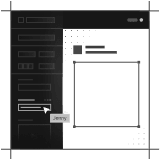
Efficient content structuring
Your content stays clean, organized, reusable, and not scattered across 40 pages. Developers work with structured data, editors drag-and-drop pieces like Lego. Everyone gets to stay sane.

Strong multi-language support
One CMS, many languages, no chaos. Localize content without duplicate pages or messy spreadsheet exports.
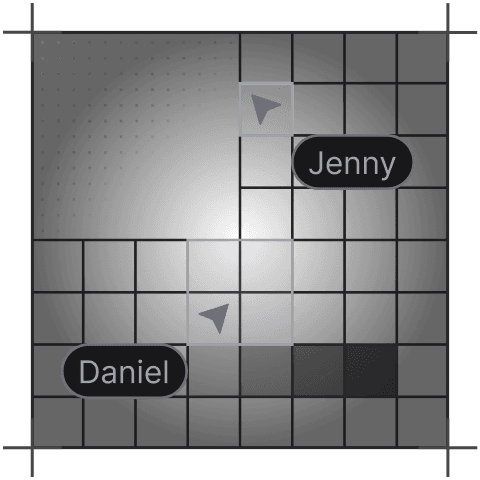
Collaborative environment
Writers, designers, and editors can all jump in at the same time without breaking each other’s work. Add comments and approvals. View version histories for teamwork without the headache.
Highly customizable
If your design system can imagine it, you can use Storyblok to model it. There are custom fields, workflows, and logics that can bend to your stack rather than the other way around.
Tell us what you're building. We reply within one working day. Jono or someone on the team picks up every message personally.
Join the growing list of successful migrations