Slingshot Bio
Roboto converged Slingshot Bio's WordPress and Shopify sites into one headless Shopify build on Next.js and Sanity, instrumented end to end and AI-ready.
View case study


From Adobe Experience Manager to BaseHub
Last verified:
The process
First we check the existing Adobe Experience Manager and see whether the data is clean enough to move straight over to BaseHub, and plan around any auth walls or bot protection in the way.
Then we work out how Adobe Experience Manager renders its pages and pull the content out, even without CMS access.
Everything extracted runs through our sanitization pipeline, which flags slop, normalizes structure, and leaves us clean content to work with.
Before anything moves, we agree the BaseHub content model with you, shaped around how your editors actually work.
We transform the content to the agreed schema and run a full dry run, so mappings and edge cases prove out before production.
Once the dry run is clean, everything moves into BaseHub in one controlled cutover.
Every old URL gets mapped to its new home with the right redirect, so rankings and link equity survive the move.
Finally, automated browsers sweep the new site for data issues, design regressions, and missing SEO signals.
Key pain points
AEM’s biggest flaw is simple: everything about it is expensive. The license, the hosting, the maintenance, the consultants, the upgrades, and the people required to even use it. The learning curve is a cliff, implementation cycles move at glacial speed, and the UI feels like punishment for asking to edit content. Performance tanks the moment you customize anything, and collaboration is basically "email the PDF and pray." If you ever see the word specialized in an AEM context, just assume the invoice comes with an extra zero.
It’s the definition of a heavyweight DXP built for organizations with more bureaucracy than sense. For everyone else, it becomes a slow-moving, over-engineered system that requires Adobe-certified babysitters just to stay alive. If you’re considering scrapping it for something faster, saner, and built this decade, we can help you migrate without dragging the AEM baggage along for the ride.

High complexity and cost
AEM is one of the most expensive CMS/DEXP platforms on the market, with licensing, hosting, and maintenance costs that only make sense for very large enterprises.

Steep learning curve
The platform is dense and requires specialized training just to perform routine tasks. Most teams can’t operate it without dedicated experts.

Prolonged implementation periods
Even simple projects take months. Rollouts, upgrades, and workflow changes move slowly and require careful planning to avoid breaking things.
Challenging navigation of capabilities
AEM packs in a huge feature set, but finding and configuring what you actually need can feel like wading through molasses.
Necessary reliance on Adobe partners
You’re essentially forced into using Adobe-certified agencies or consultants for setup, maintenance, and troubleshooting and they don’t come cheap.

Not ideal for smaller companies
The cost, complexity, and operational overhead make AEM a poor fit for startups or mid-sized teams. Most will drown in it long before they benefit from it.
Key advantages
BaseHub CMS is generating buzz among developers for its fast, collaborative, and AI-powered environment. We really like the Notion style editor. Feels great to drop a / and you type in what you want. E.g heading, or bullet points etc.
It's pretty good for creating and organizing content. Even for teams that are new to CMS platforms. Features like easy nested repeater fields, real-time branching for team workflows, and a built-in GraphQL API impress both solo makers and growing agencies. The platform’s Typesafe approach and AI-assisted writing tools help speed up the publishing process, while modern UI design keeps the learning curve gentle for newcomers.
If you can handle the initial information overload when you first spin up an environment it's an incredible tool for collaboration and rapid site scaffolding.
They also have a pretty good freemium pricing model (nodody has as good as Sanity) and strong documentation help projects get off the ground quickly, especially for Next.js and React use cases. Frequent updates and community engagement is high, and the core team that built it, are from a really nice design focused agency. So can't knock it that much.
Intuitive Notion-style editor
Drop a / to insert blocks. The Notion-style editor is intuitive: fast, light, and easy to navigate

Effortless nested repeater fields
You can nest and stack content structures. It’s one of the few tools where complex schemas don’t instantly become a crime scene.
Real-time content branching
Branching lets teams experiment, test ideas, and push updates without breaking production. Preview changes instantly, merge when ready, panic never.
Ready-to-use GraphQL integration
BaseHub ships with clean, auto-generated GraphQL APIs, so developers don’t waste hours wiring resolvers or schema stitching. Query, fetch, and ship.
Typesafe SDK support
You get fully typed responses out of the box, which means fewer runtime surprises and a smoother dev experience. Your IDE becomes your safety net.
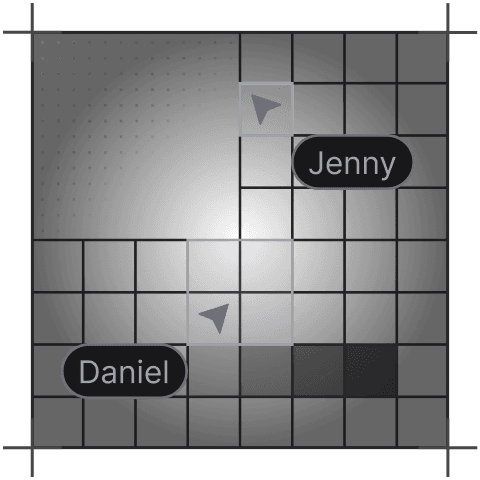
Collaborative team workflows
Teams can work together without stepping on each other’s toes, with clean approval flows and role-based editing. It’s built for fast-moving content teams.
Tell us what you're building. We reply within one working day. Jono or someone on the team picks up every message personally.
Join the growing list of successful migrations